
Discover Lago, screen by screen
No mock-ups: this is the real software, as your team will use it, with demo data. Click an image to enlarge it.
Real Lago video · 24 seconds · demo data
Two ways to read your schedule
The Timeline shows the whole day on one line; the Tiles detail every quarter hour. One click switches between them.
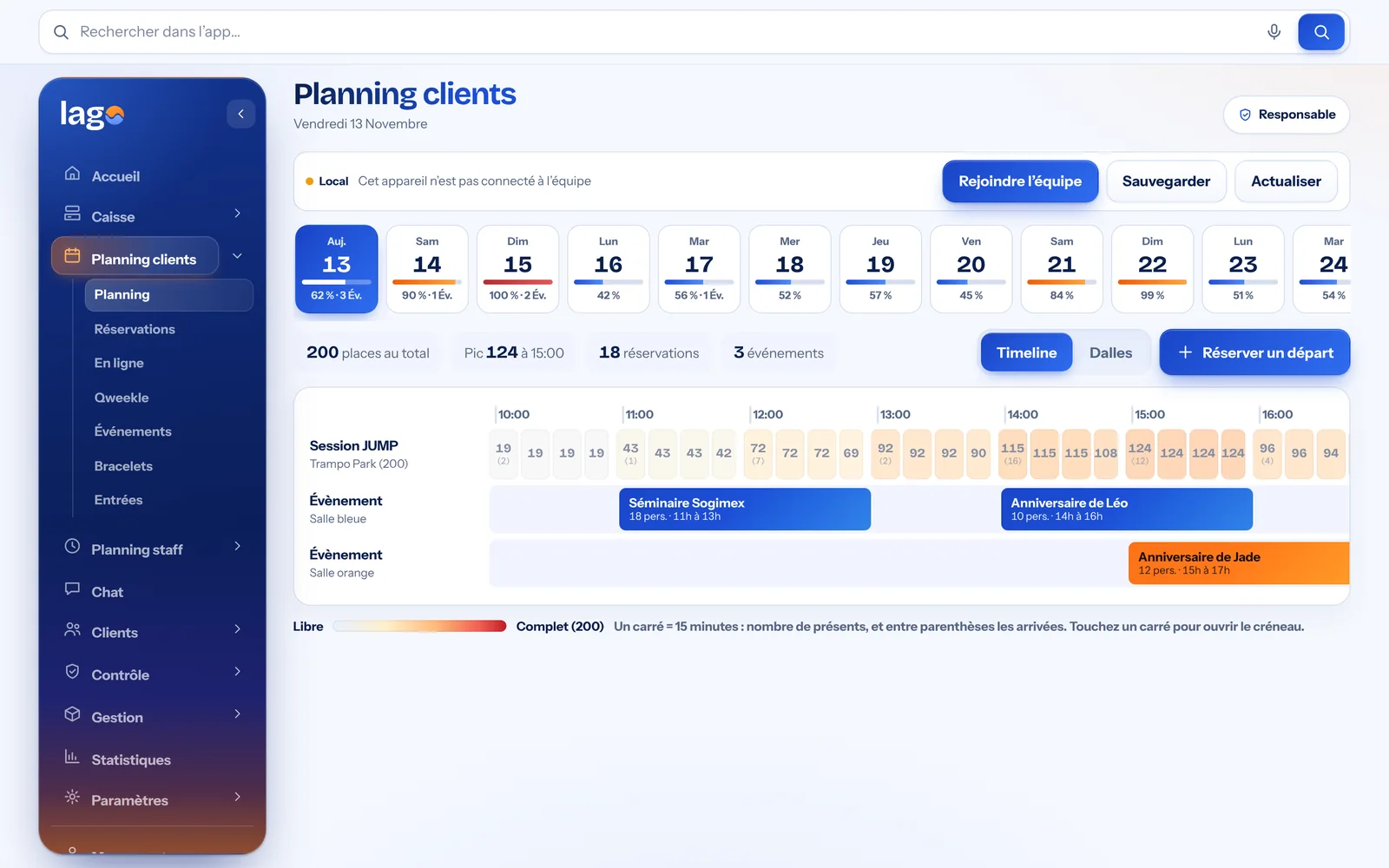
The whole day on a single line: sessions, events and birthday parties, with the number of people present per quarter hour.
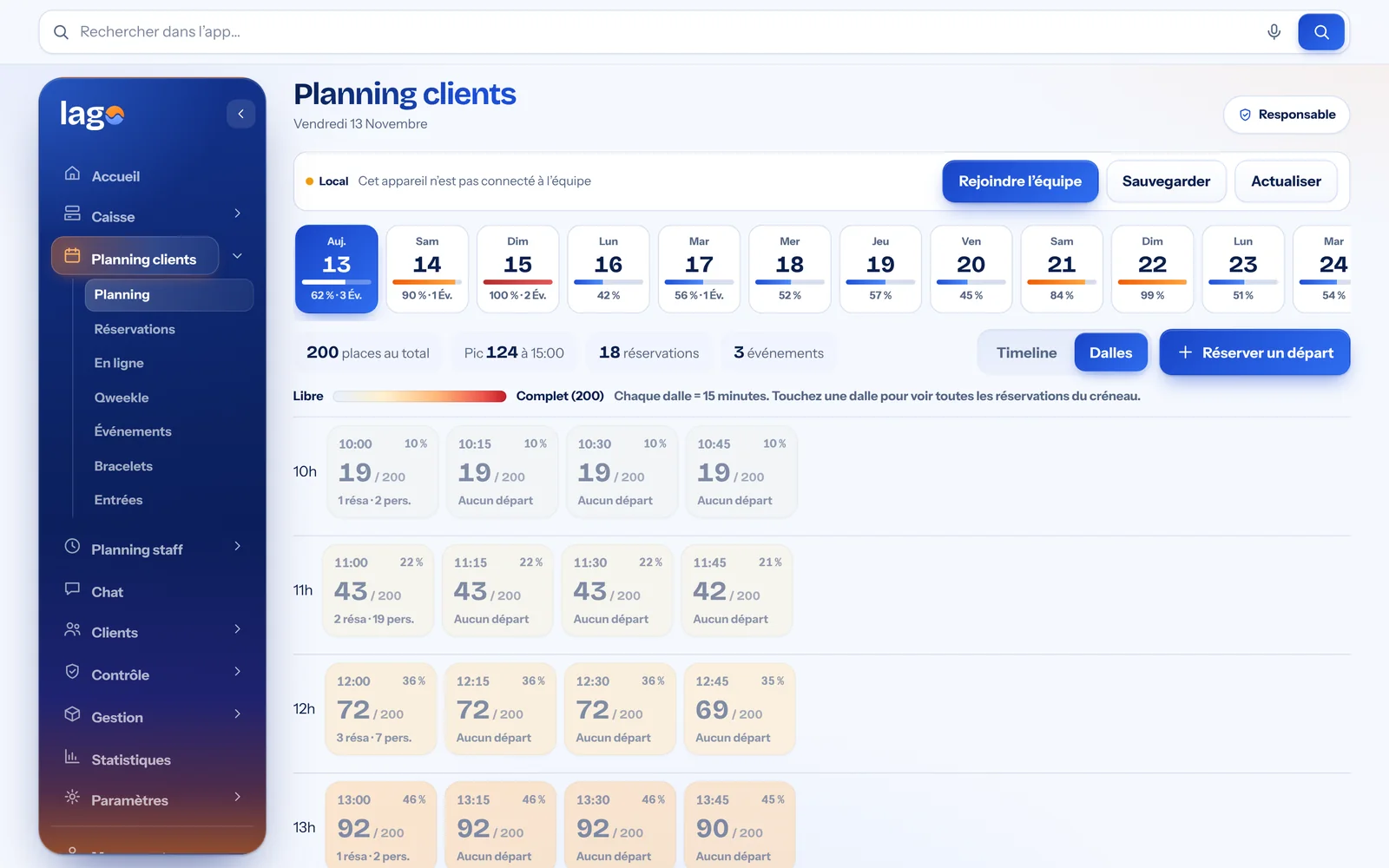
One tile per quarter hour, turning from blue to red as it fills up. One click shows the bookings for that slot.
Real Lago screenshots · demo data
One schedule for your customers, another for your team
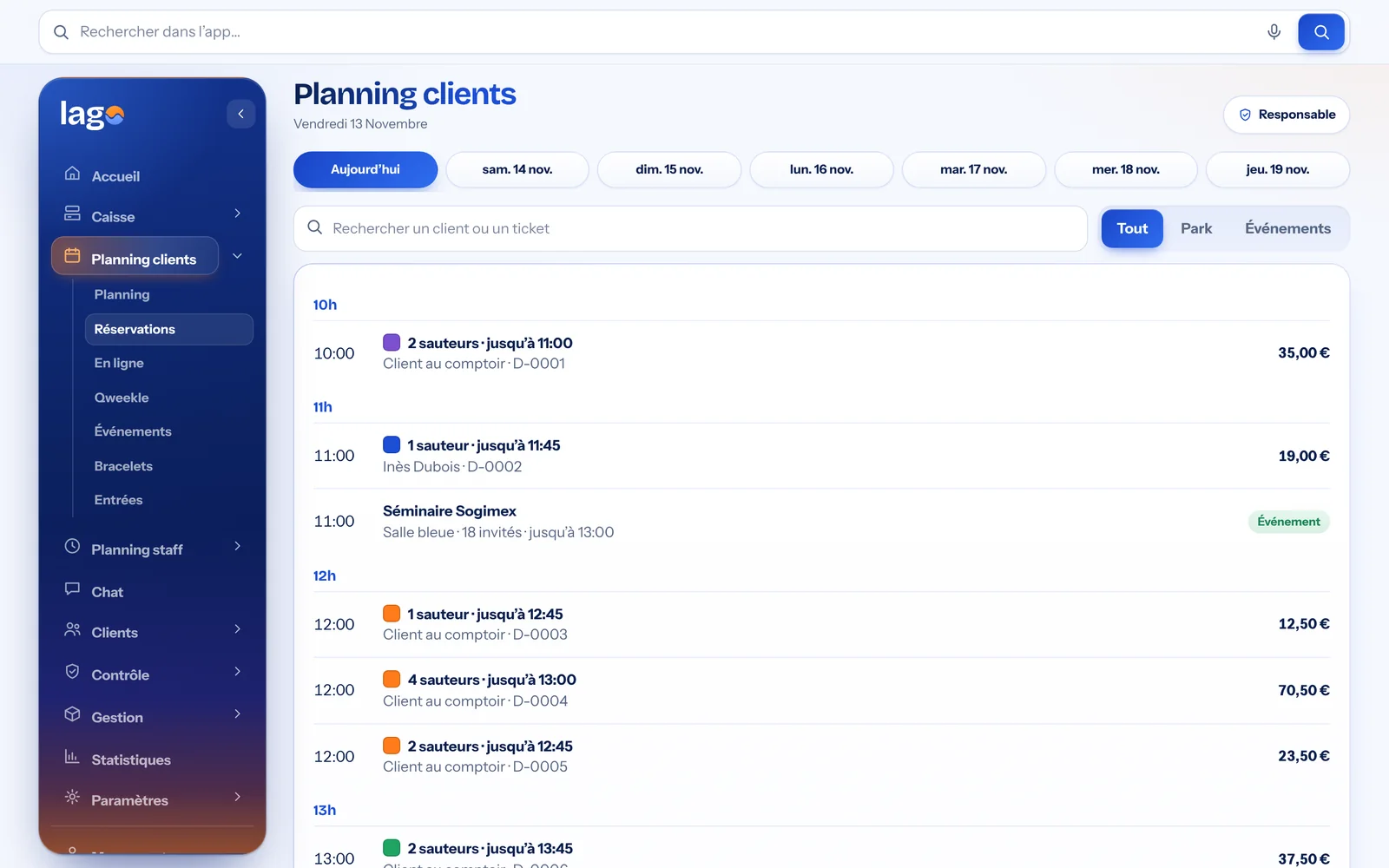
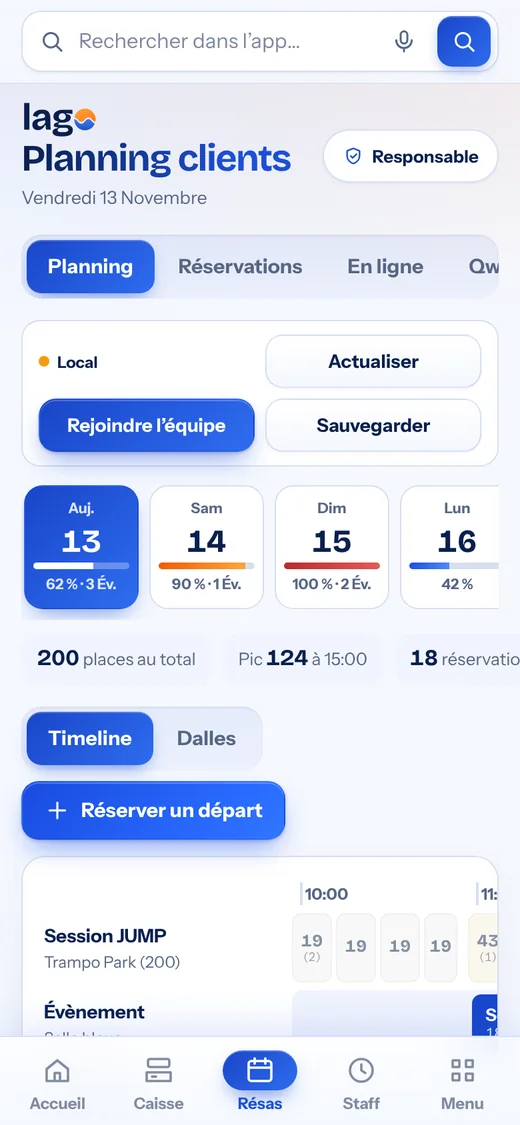
The customer schedule
Your venue’s bookings and capacity, in 15-minute slots. Each slot changes colour as it fills up, until it is “full”.
Real Lago screenshot · demo data
The staff schedule
Each employee’s hours, one day at a time with one line per person, plus the standard week, holidays, leave and shift swaps. Lago flags the time slots that are short-staffed.
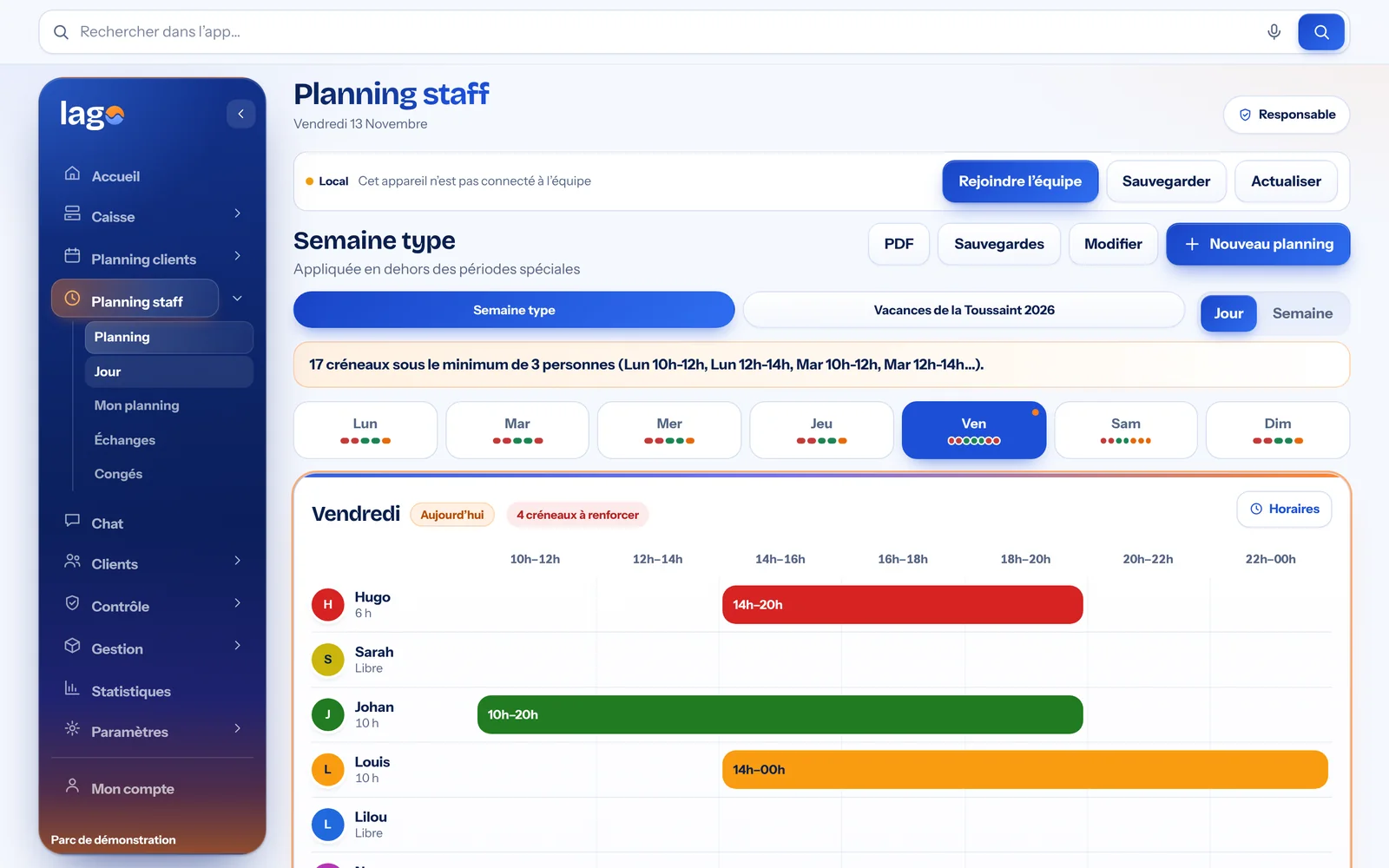
Real Lago screenshot · demo data
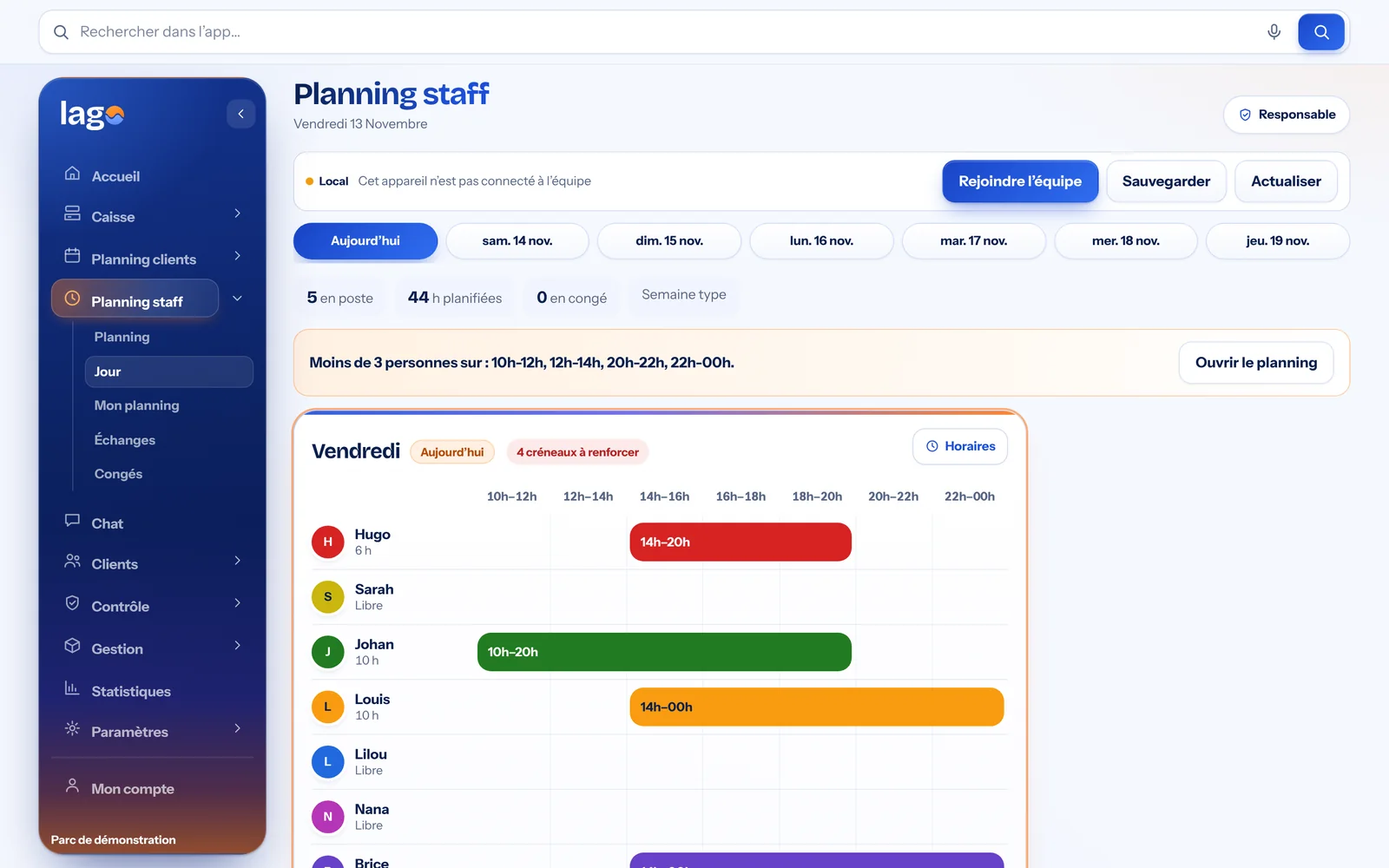
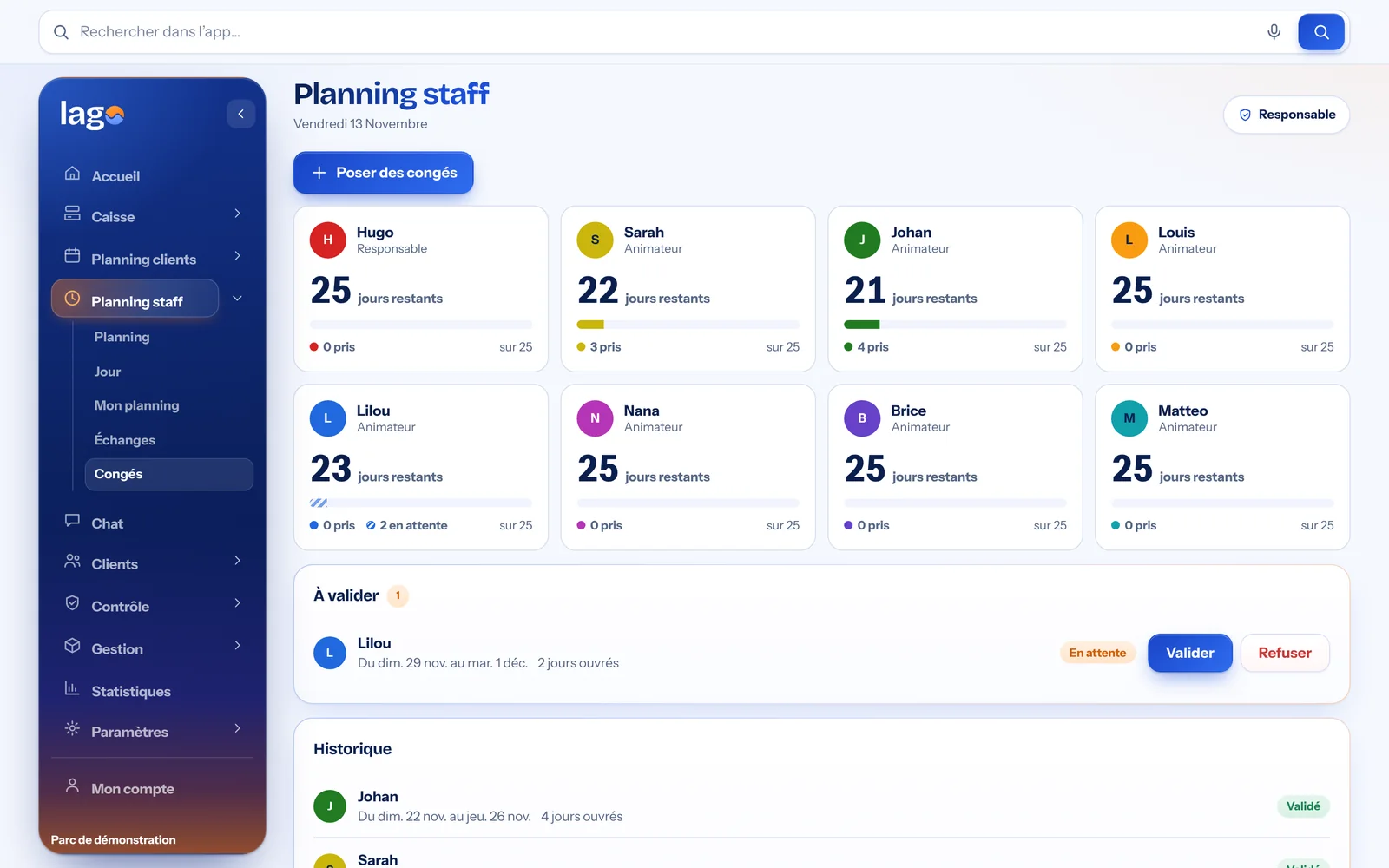
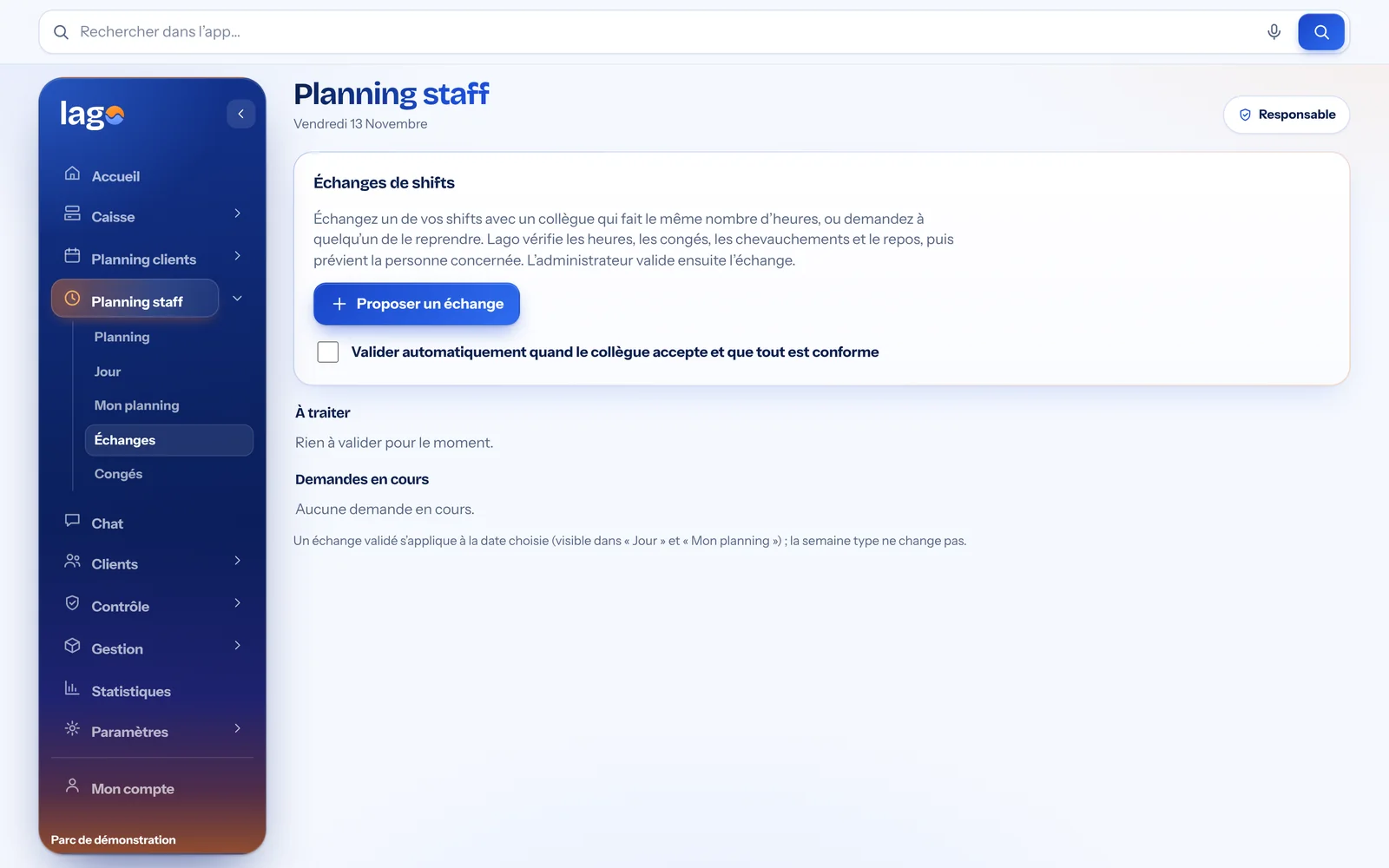
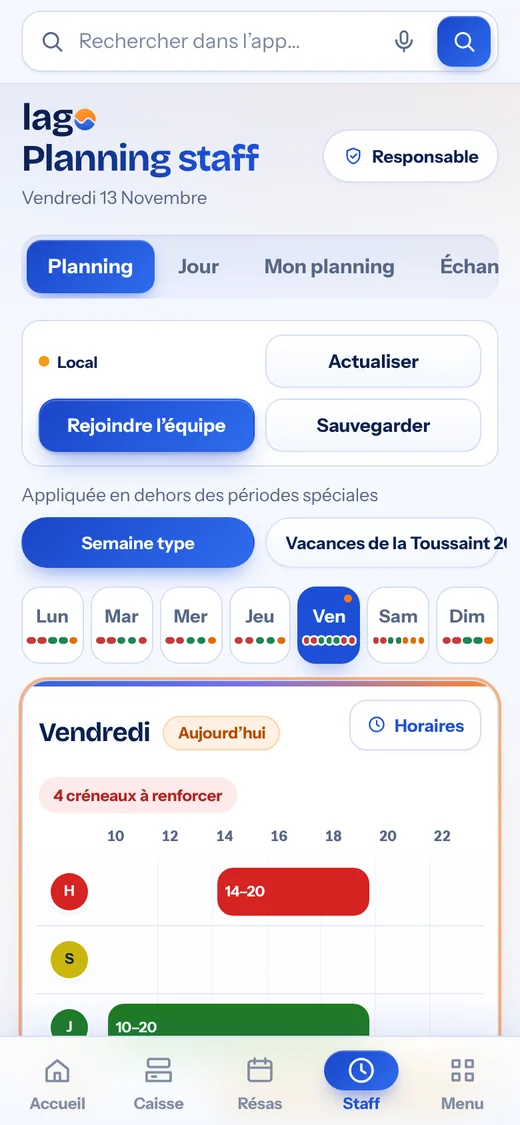
Two truly separate schedules: your customers never get mixed up with your team’s hours.
Your POS and your team, finally in one place.
A sale fills the schedule, a booking made at the counter or on your website shows up everywhere, and every employee finds their hours on their phone. No more software that doesn’t talk to each other.
For the counter
- Touchscreen POS, French-compliant
- Time slot booking at the till
- Online booking on your website
- Online payment, in full or deposit
- Loyalty, promo codes, gift cards
- Sales statistics

For the team
- Staff schedule
- Leave and shift swaps
- Team chat
- Safety checks as PDFs
- Personal schedule on their phone
- Accounts and permissions approved by you
At the counter
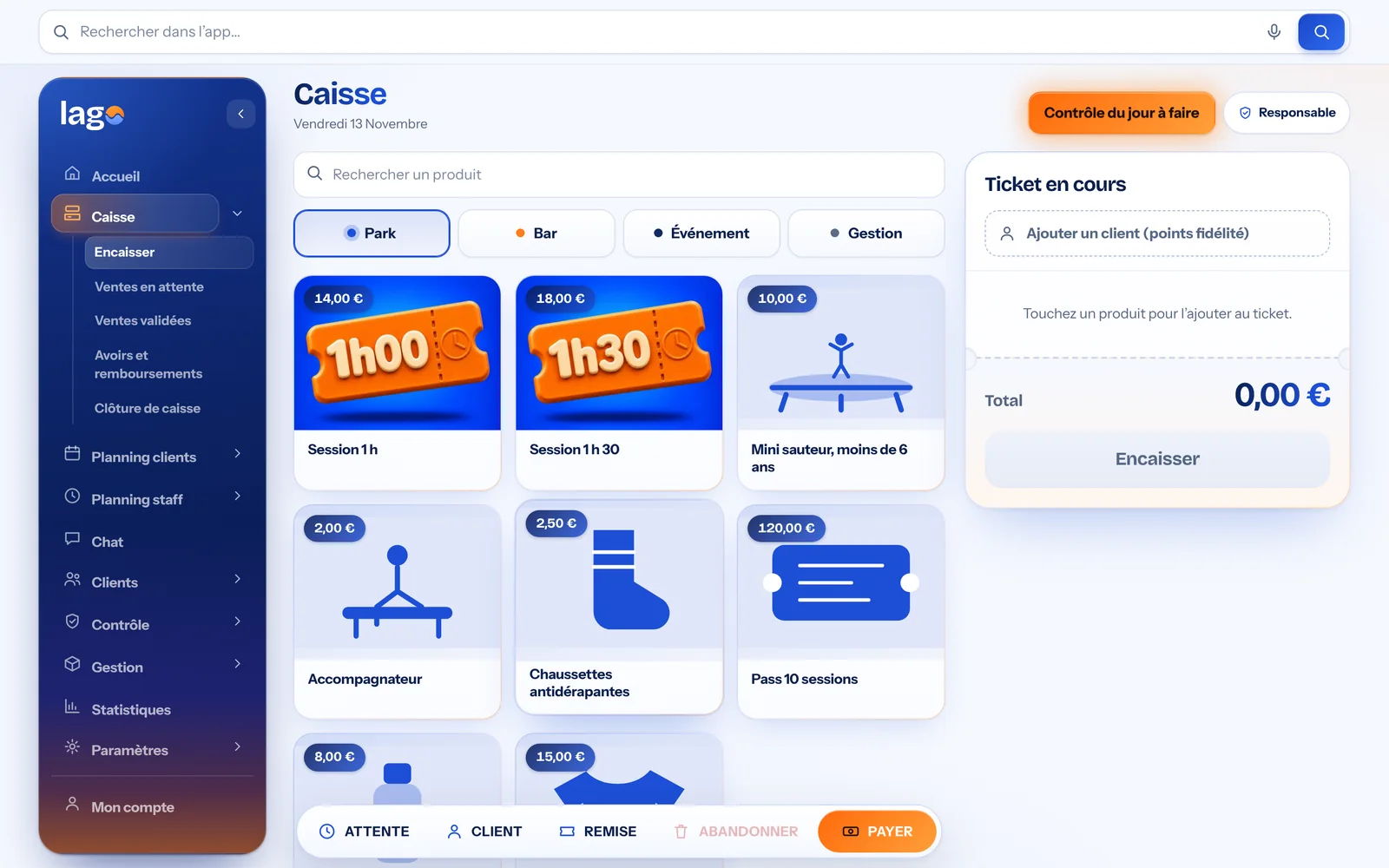
The POS
Items illustrated by category, the ticket always in view, loyalty customer, discount, hold and checkout in a few taps.
- Park, Bar, Event and Admin categories
- Item search
- Split payments and change
Real Lago screenshot · demo data
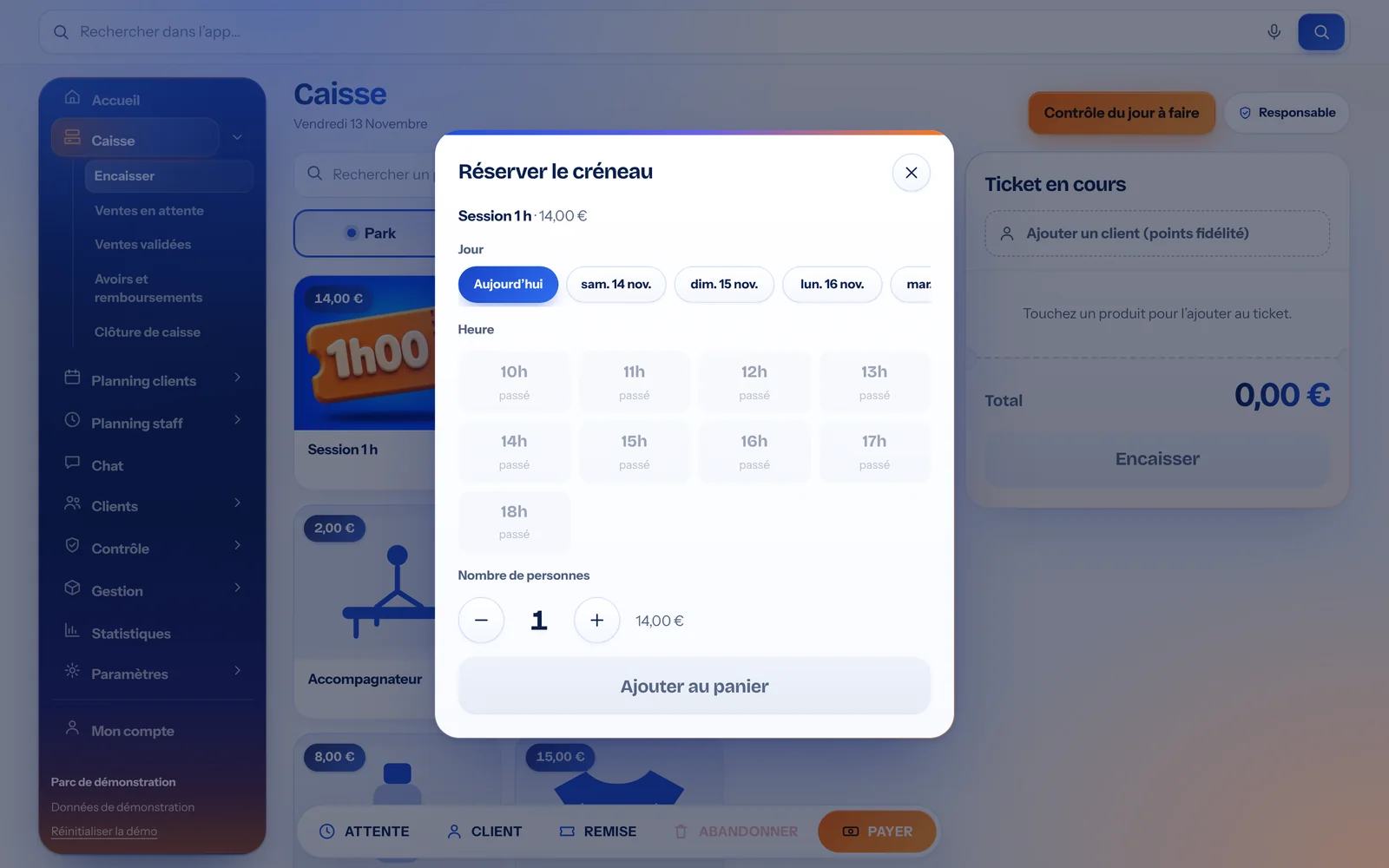
Book a time slot from the POS
Tapping a session opens the choice of day, hour with remaining places, and start time. The wristband is assigned automatically.
- Remaining places per hour and per quarter hour
- Wristband colour by time
- Number of people, then add to the ticket
Real Lago screenshot · demo data
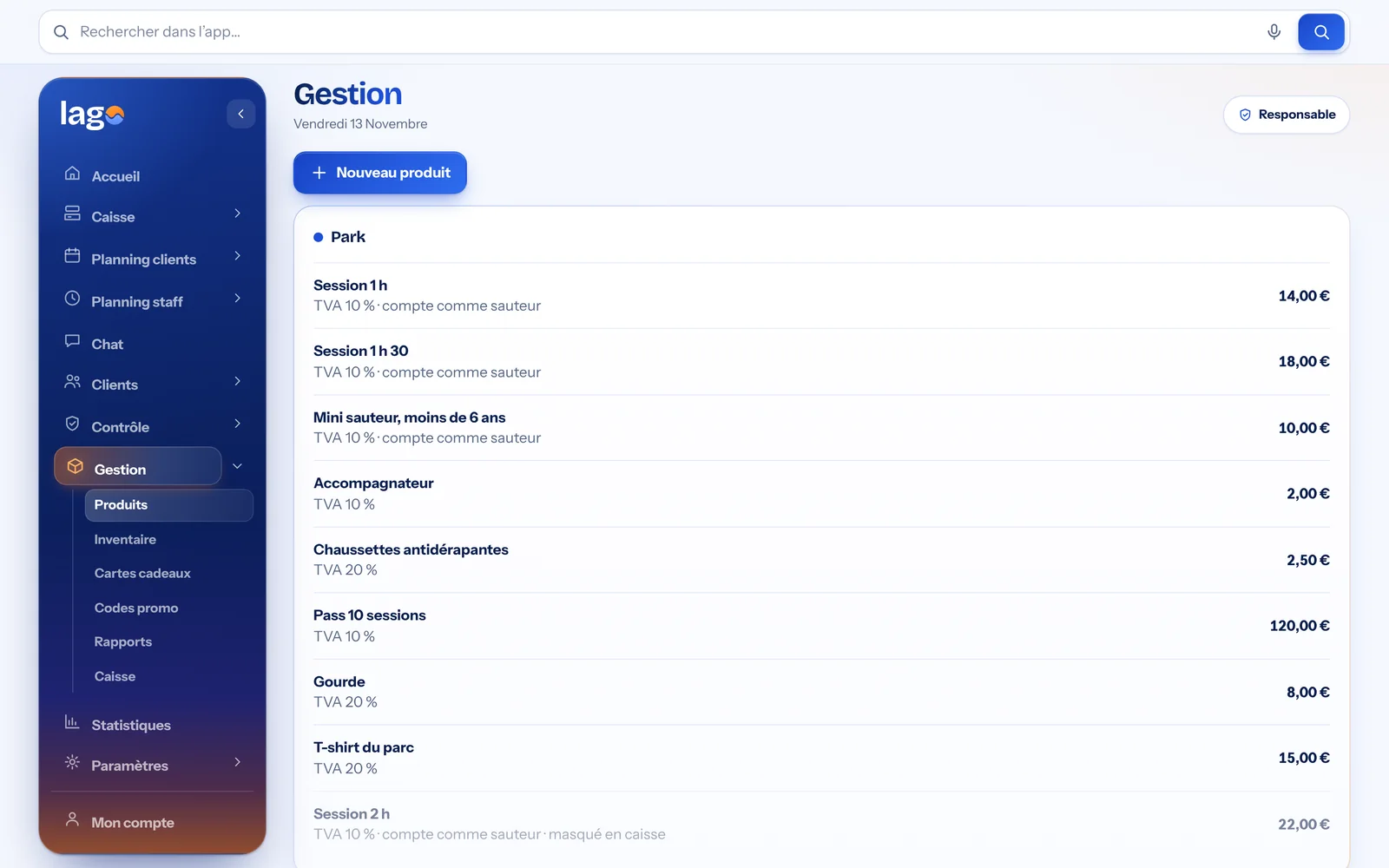
Items and VAT
Each item has its price, category and VAT rate. Sessions count towards the park’s capacity.
- VAT per item
- Items that “count as a jumper”
- Stocktaking and gift cards
Real Lago screenshot · demo data
Customers who come back
Customer records
Find a customer by name or phone number, with their points and email consent.
- Instant search
- Points and loyalty status
- Email marketing
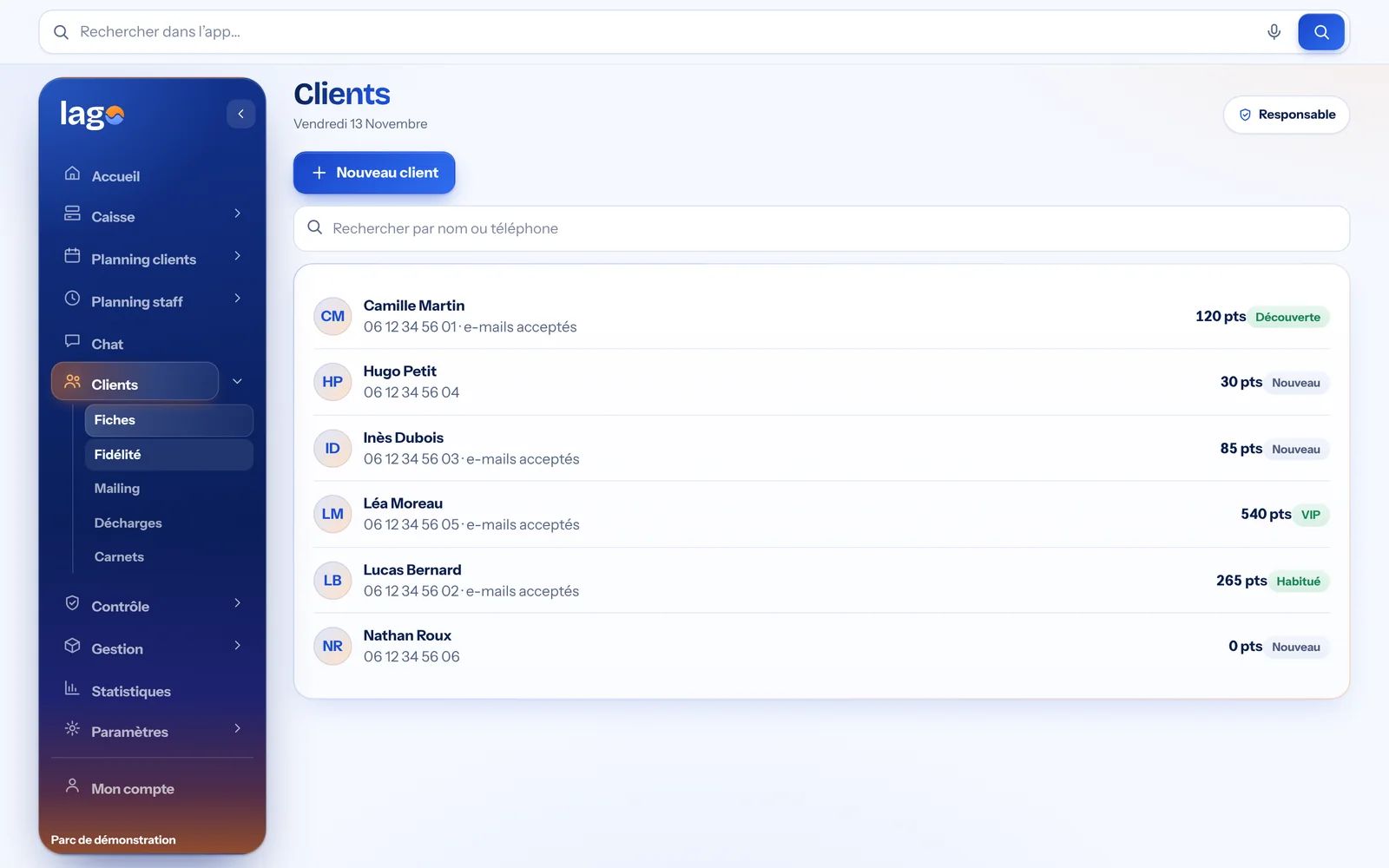
Real Lago screenshot · demo data
Loyalty
€1 spent = 1 point, reward tiers and an automatic email to customers who opted in.
- Customisable tiers
- Discount on the next ticket
- Ranking of top customers
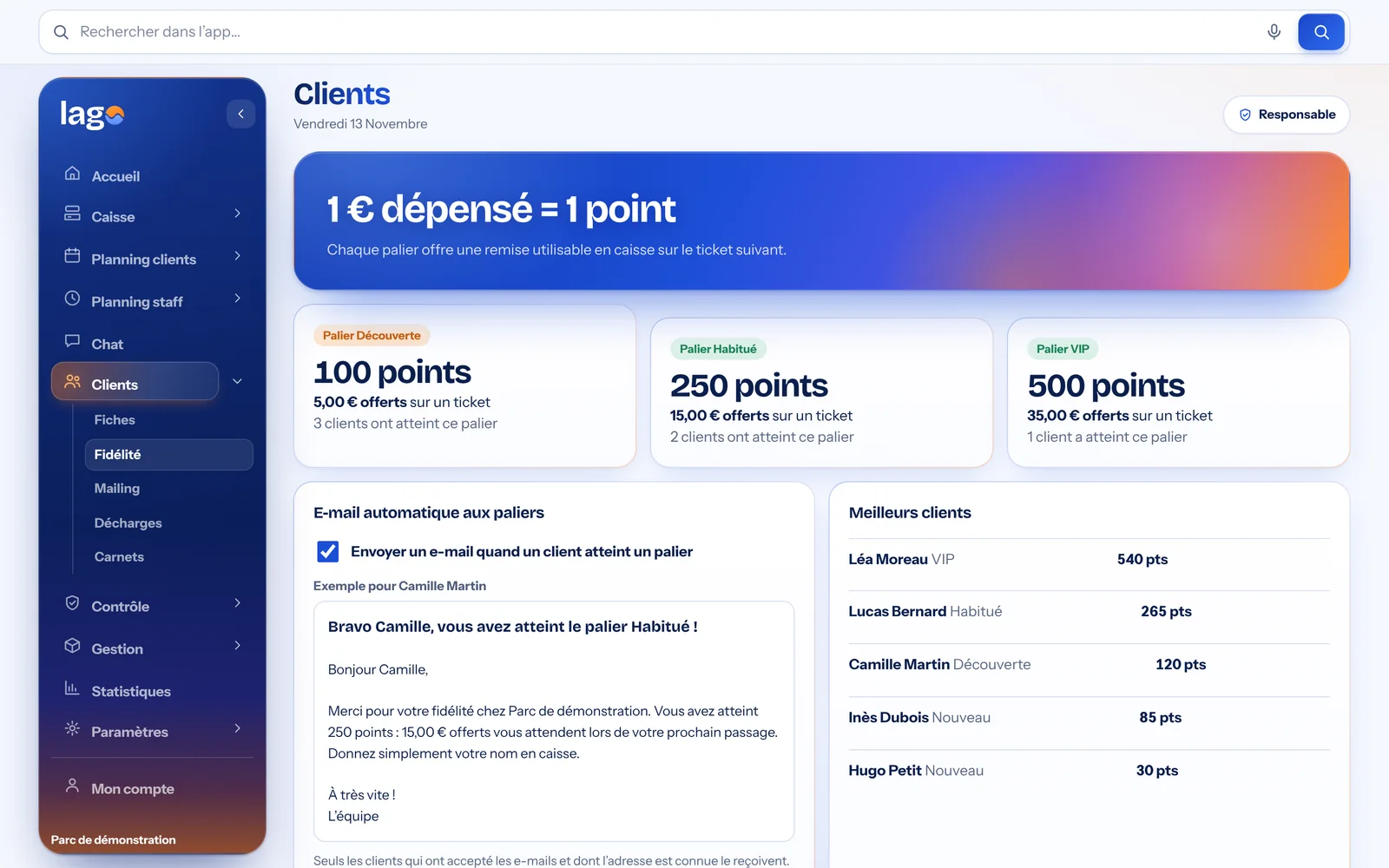
Real Lago screenshot · demo data
Compliant, without the paperwork
The pre-opening check
The team ticks off each point on a tablet or phone. An issue can be reported in one tap.
- Customisable zones and points
- Streak of checked days
- Daily PDF
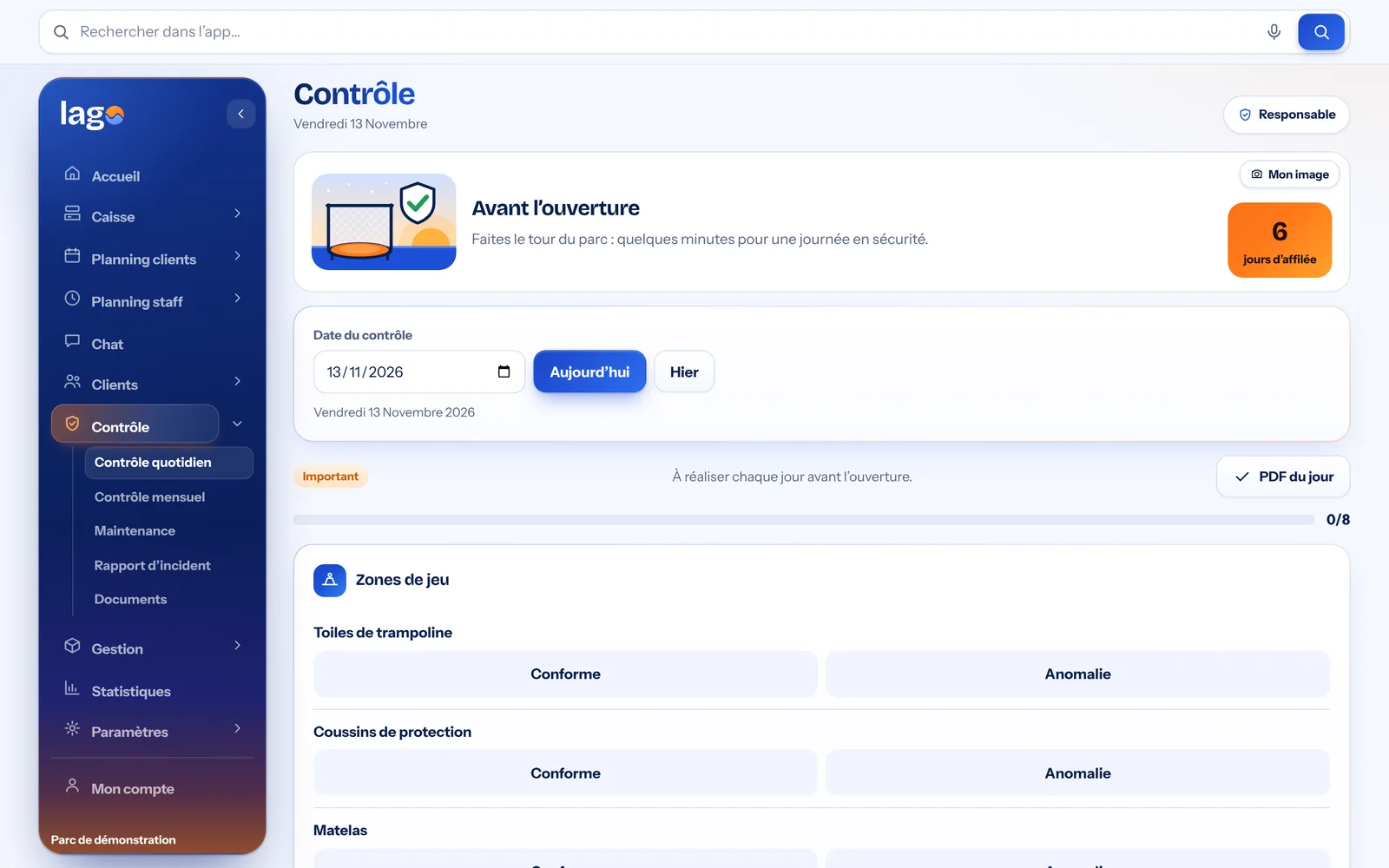
Real Lago screenshot · demo data
The check log
Each completed check creates a PDF document, filed by date and type.
- Daily, monthly, maintenance, incidents
- OK or issue
- Downloadable PDFs
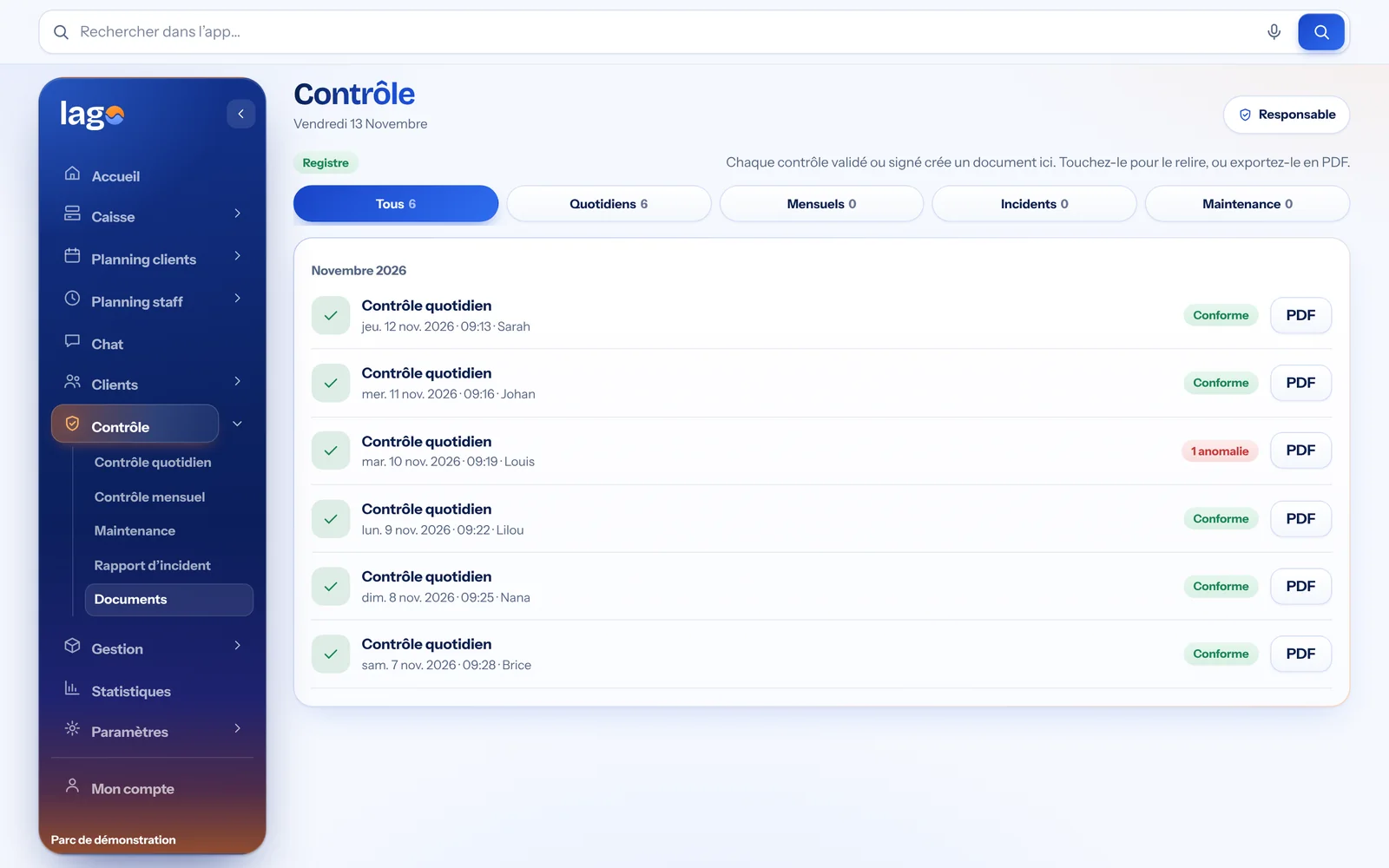
Real Lago screenshot · demo data
Bringing the POS into compliance (France)
Seven guided steps, up to the publisher’s certificate on the official French template.
- Sealed closures
- Integrity check
- Annual archive
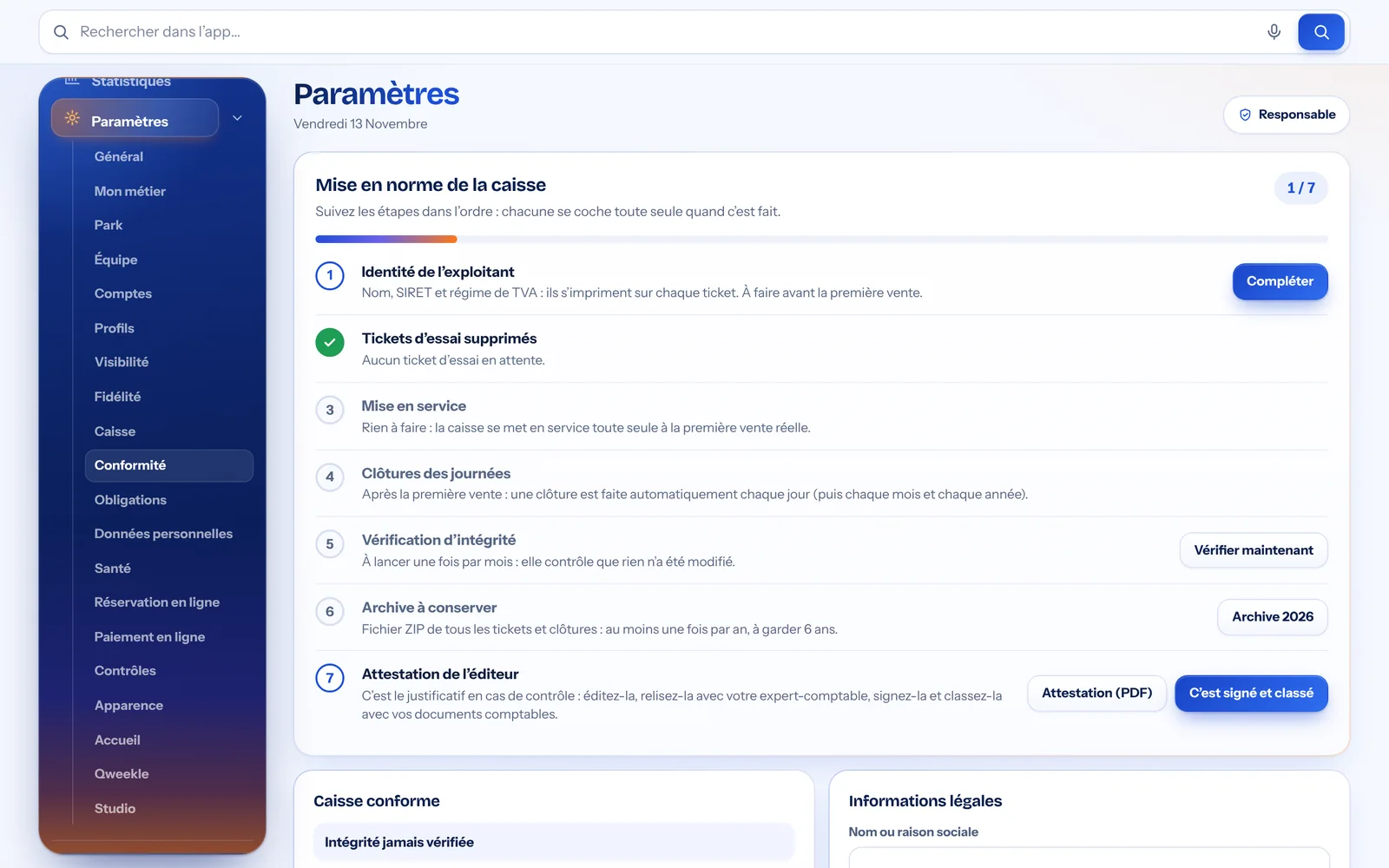
Real Lago screenshot · demo data
Your whole business at a glance
The home screen
Today’s check, the team on duty, messages and quick access to every module.
- Team messages
- System health
- Shortcuts to every module
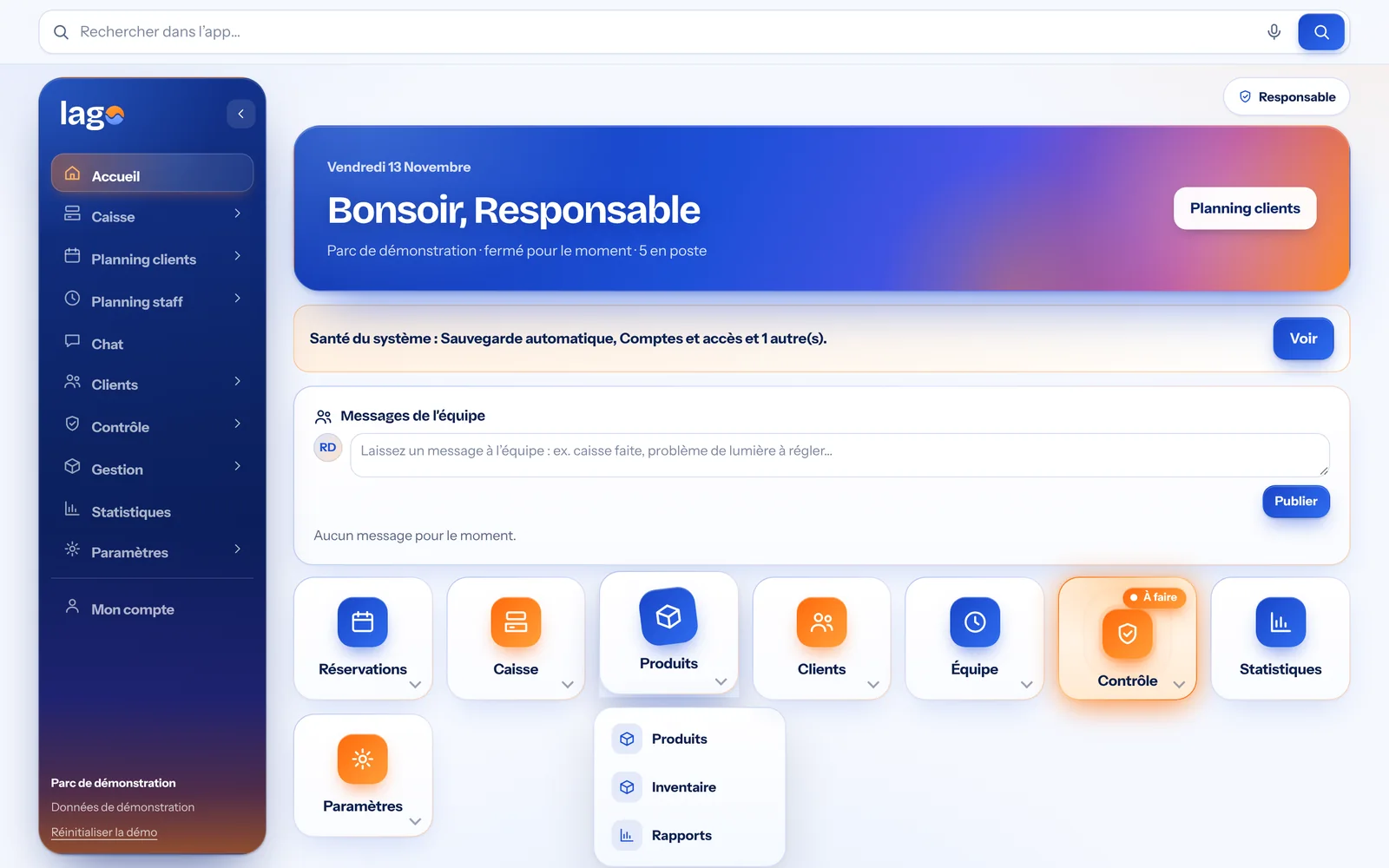
Real Lago screenshot · demo data
Statistics
Revenue, tickets, average basket, sales by category and best-selling products.
- Today, 7 days, 30 days, month, year
- Revenue per jumper
- Best sellers
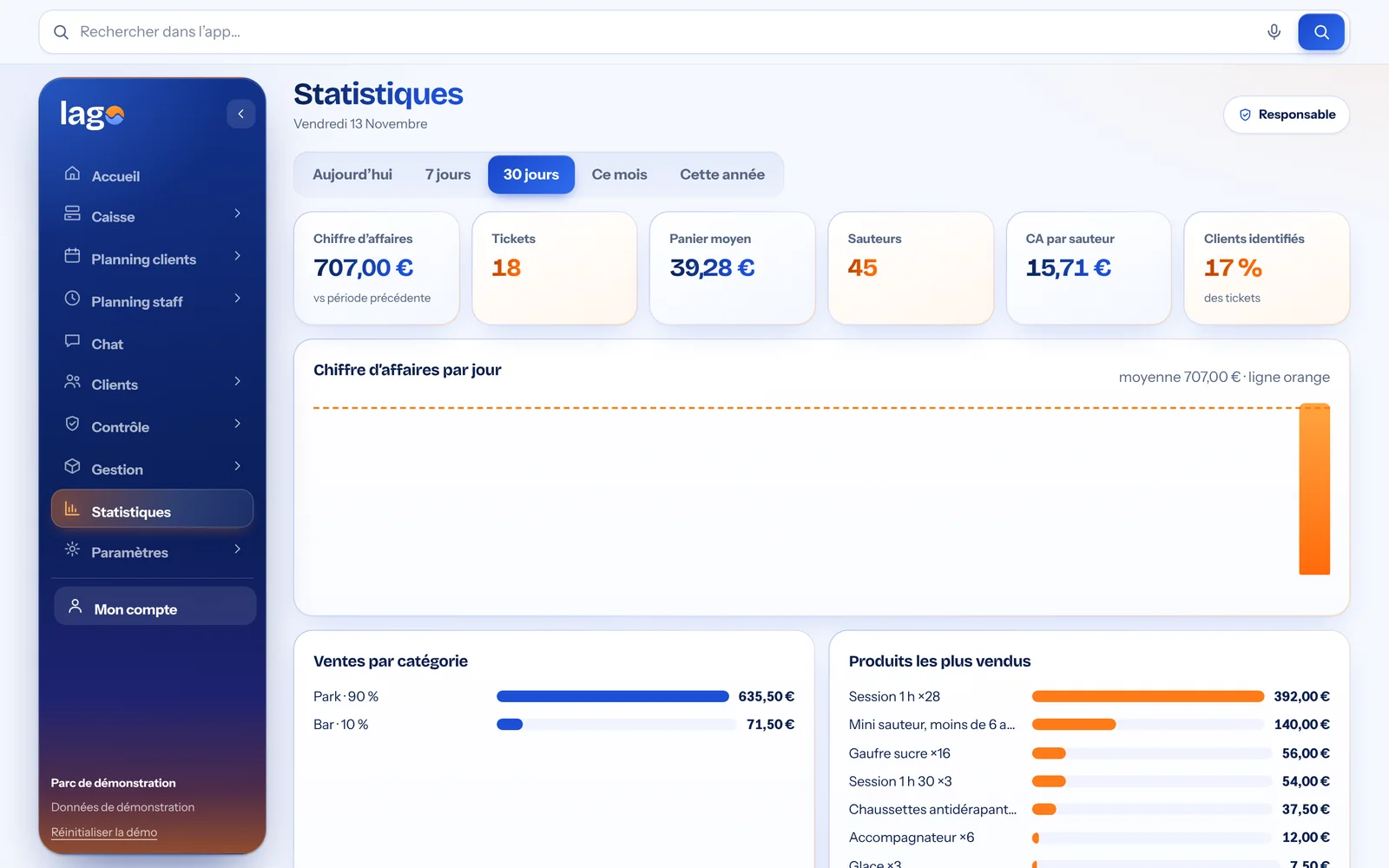
Real Lago screenshot · demo data
Settings
The administrator customises the venue, the POS, the profiles and what each person can see.
- Venue and POS
- Profiles and visibility
- Demo data
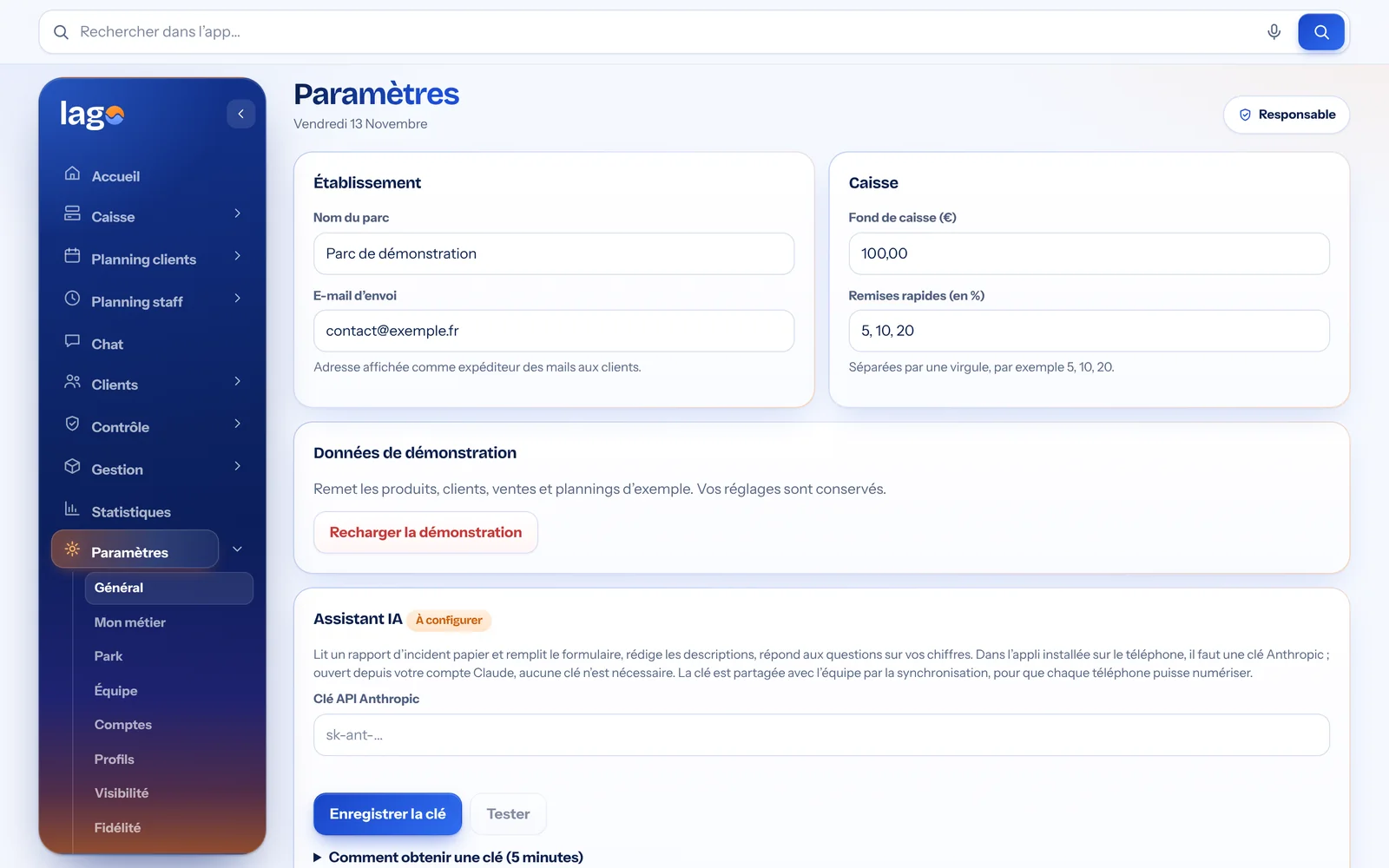
Real Lago screenshot · demo data
In the whole team’s pocket
Lago installs like an app on phones: everyone finds their schedule, the POS or today’s check.
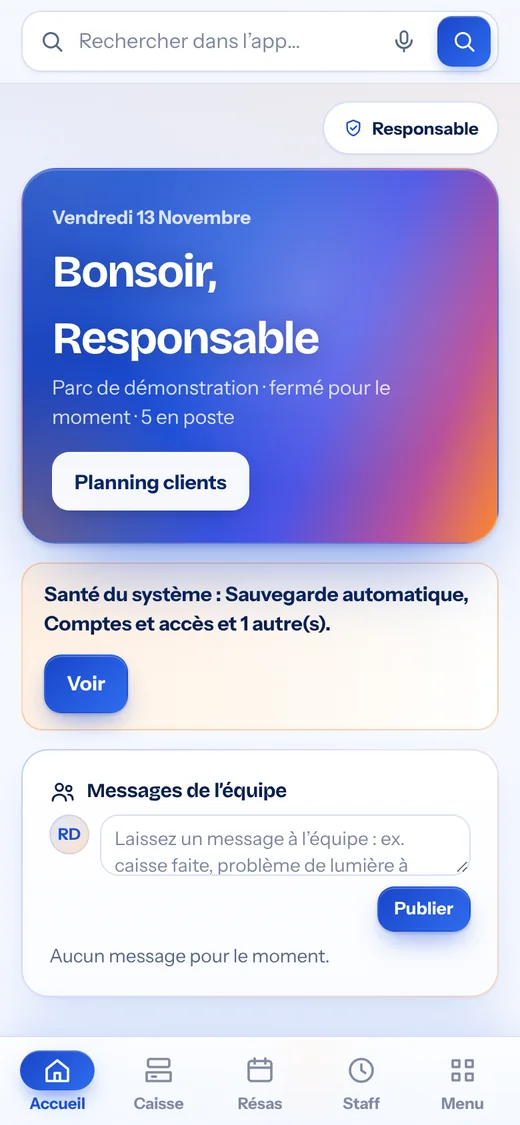
Home
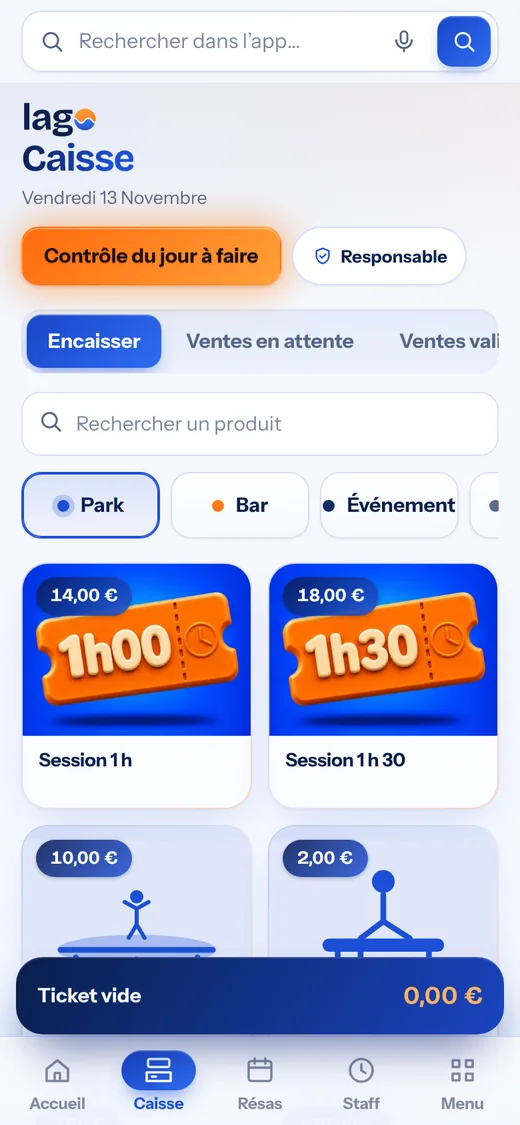
POS
Customer schedule
Staff schedule
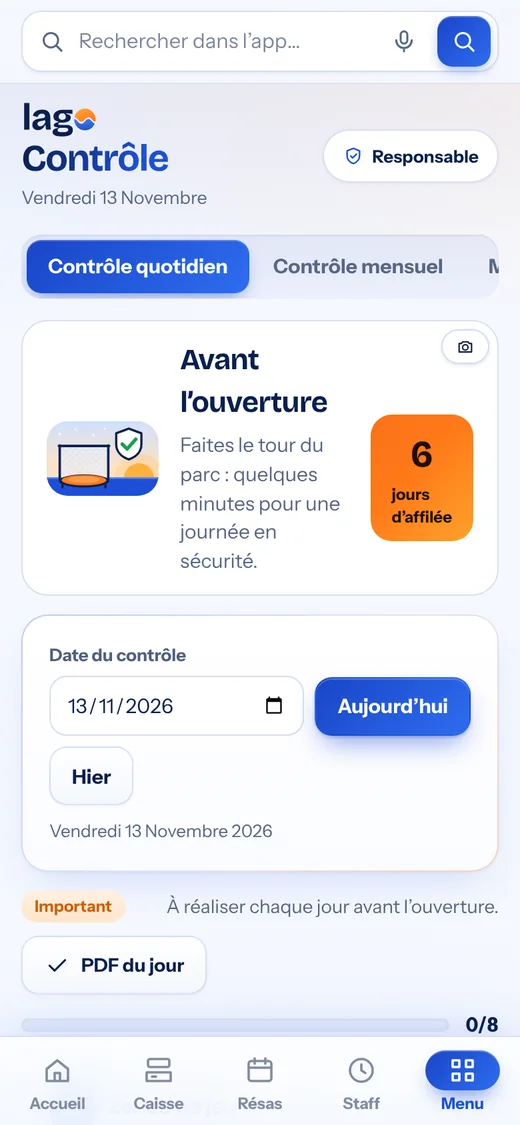
Check
Want to see it with your own activities?
A free, no-commitment demo, with your prices and opening hours.