
POS and booking software designed for trampoline parks
15-minute sessions, coloured wristbands, live capacity and equipment checks before opening. Lago was born in a 200-capacity trampoline park, built to handle the Wednesday and Saturday rush.
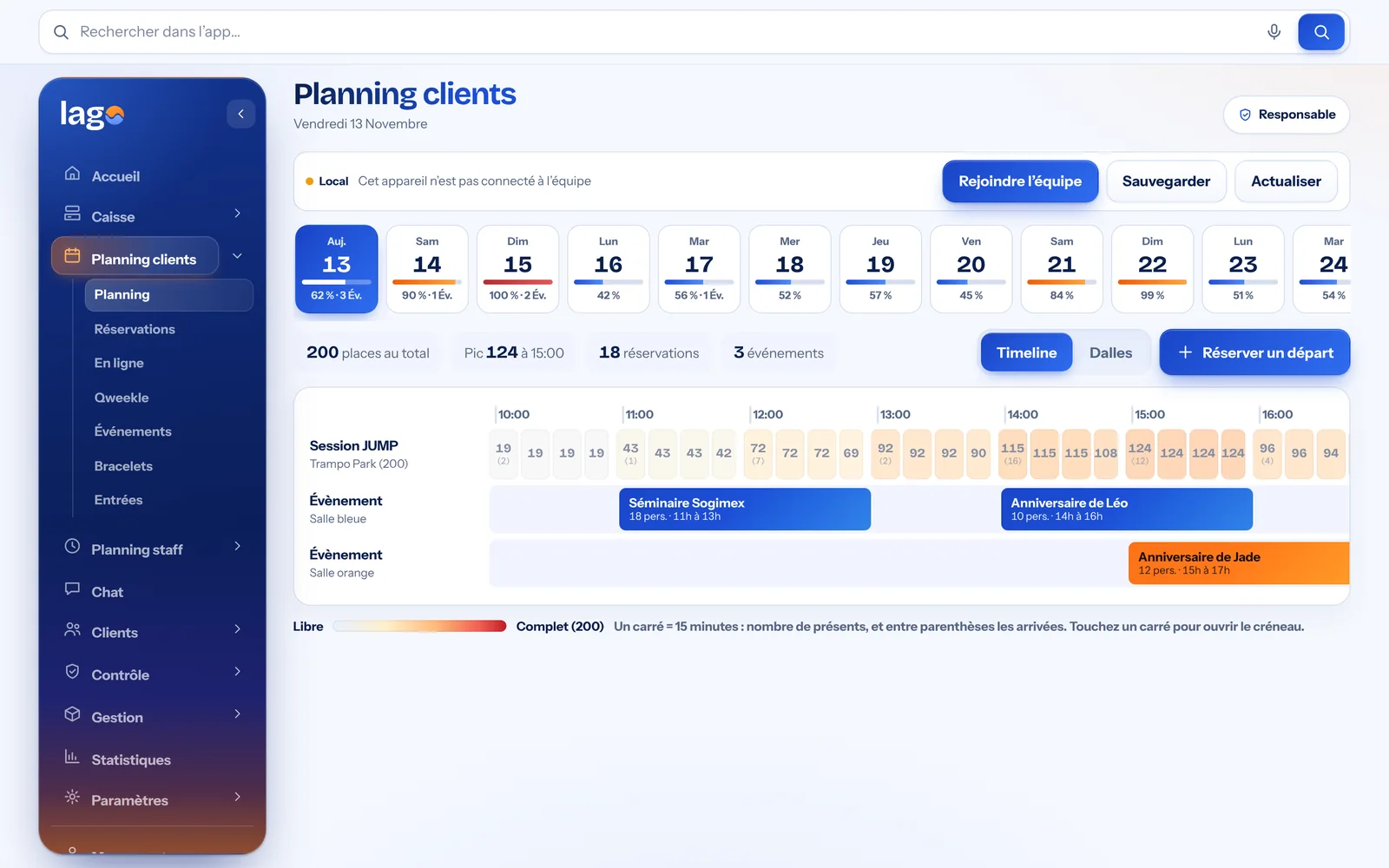
Real Lago screenshot · demo data
Lago, trampoline park management software
Lago is management software for trampoline parks: a touchscreen cash register for entries, socks and the bar, online booking software for sessions with payment or deposit, ticketing for 15-minute slots with coloured wristbands, birthday parties, waivers signed on a tablet, staff scheduling and daily trampoline safety checks.
The real softwareThe screens shown are real Lago screenshots.
Compliant POS (France)Sealed closures, archives and the publisher’s certificate.
Your data stays yoursNever sold or used for advertising.
Always up to dateAutomatic updates, nothing to install.
Your POS and your team, finally in one place.
A sale fills the schedule, a booking made at the counter or on your website shows up everywhere, and every employee finds their hours on their phone. No more software that doesn’t talk to each other.
For the counter
- Touchscreen POS, French-compliant
- Time slot booking at the till
- Online booking on your website
- Online payment, in full or deposit
- Loyalty, promo codes, gift cards
- Sales statistics

For the team
- Staff schedule
- Leave and shift swaps
- Team chat
- Safety checks as PDFs
- Personal schedule on their phone
- Accounts and permissions approved by you
Two ways to read your schedule
The whole day at a glance in Timeline view, or each quarter hour in detail in Tiles view.
The whole day on a single line: sessions, events and birthday parties, with the number of people present per quarter hour.
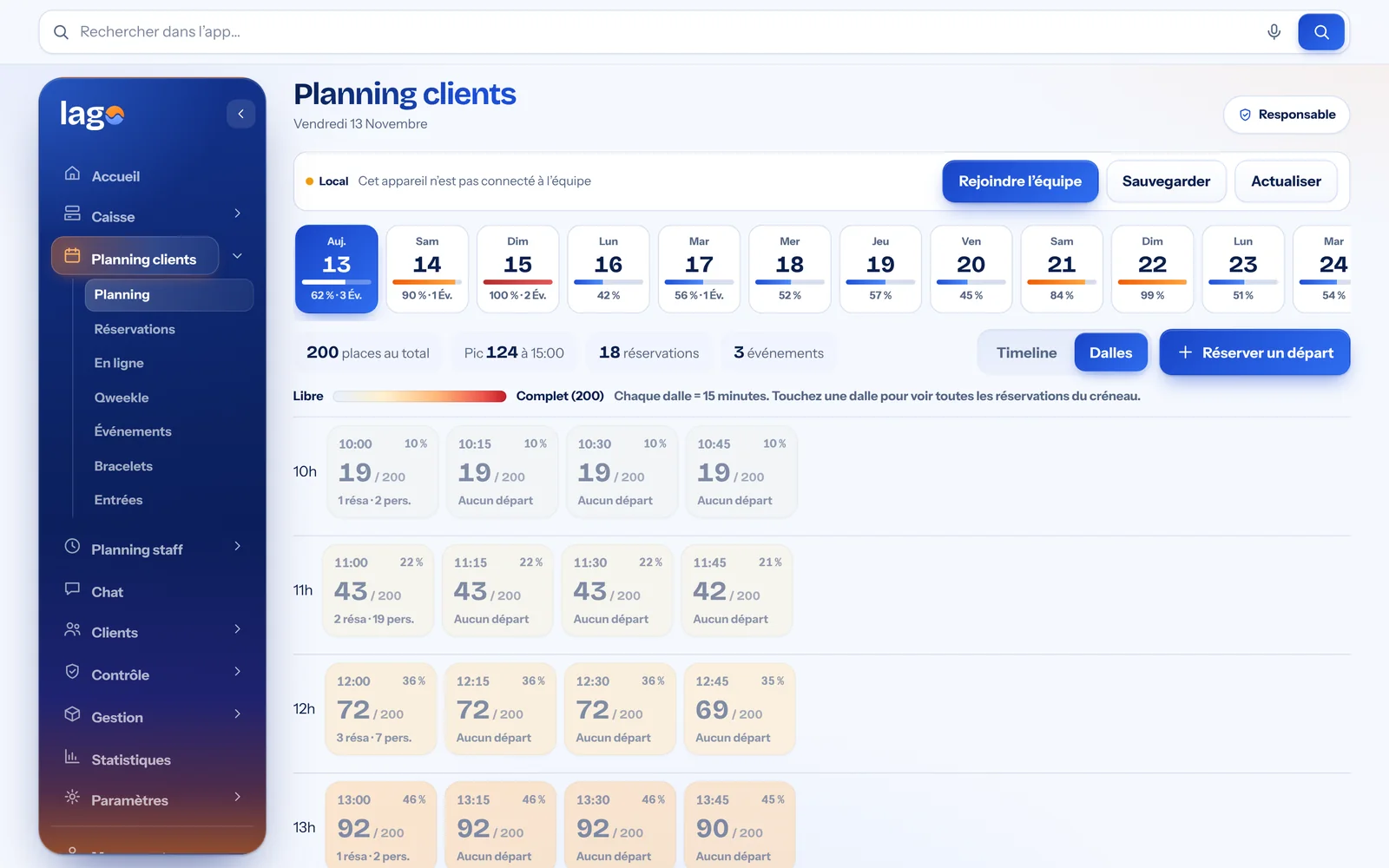
One tile per quarter hour, turning from blue to red as it fills up. One click shows the bookings for that slot.
Real Lago screenshots · demo data
What changes with Lago
15-minute sessions, clear at a glance
Each tile in the schedule shows the number of jumpers present and turns from blue to red as it fills up. One click shows who is arriving and when.
- Your park’s capacity respected automatically
- Timeline or Tiles view, day by day
- Events and birthday parties on the same timeline
Real Lago screenshot · demo data
Every sale books its slot and its wristband
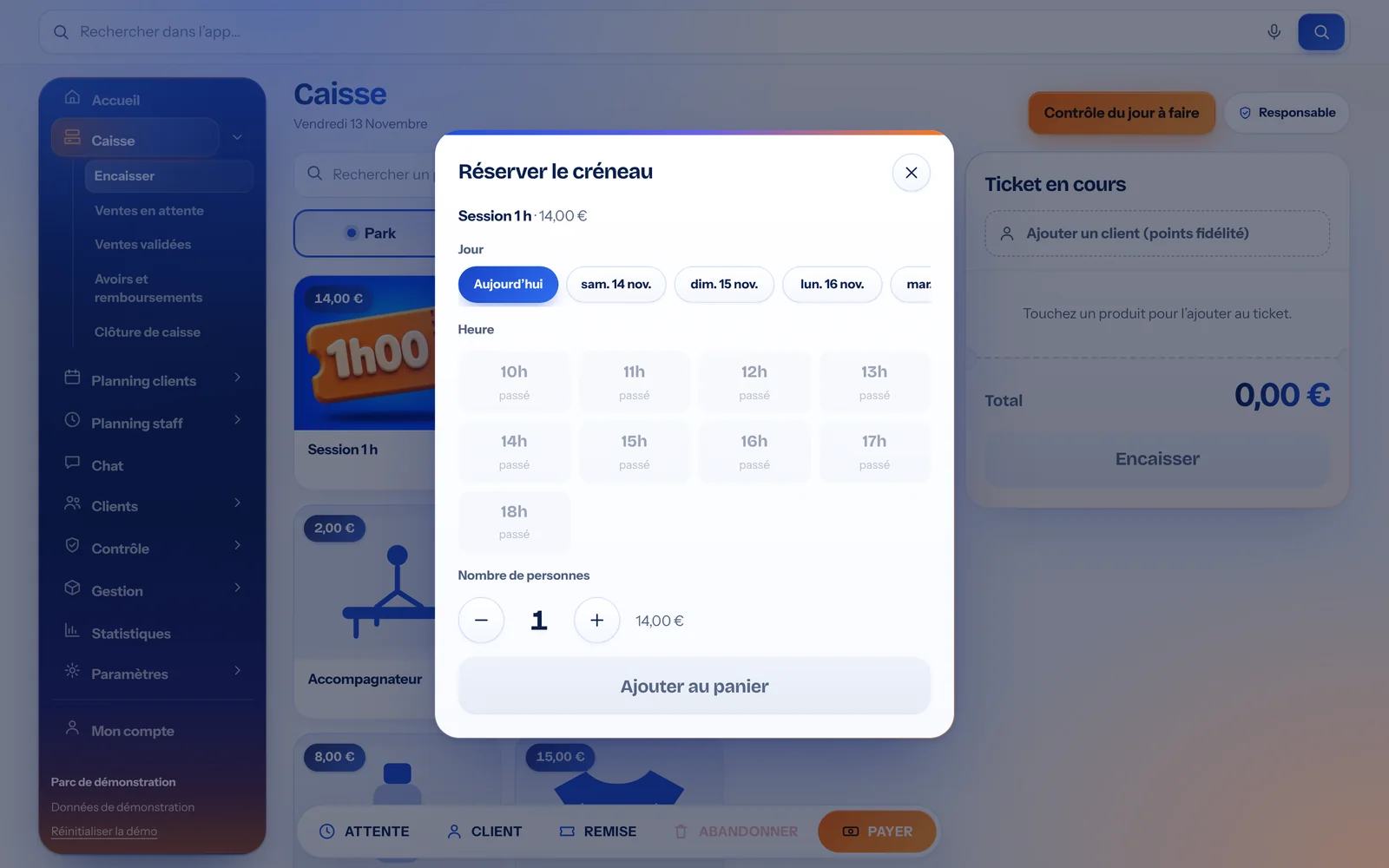
At the till, a session cannot be sold without a slot: the host picks the start time, and Lago shows the remaining places and the wristband colour to hand out.
- Start time in 15-minute steps
- Wristband colour assigned by time
- Accompanying adults, socks and bar on the same ticket
Real Lago screenshot · demo data
Equipment checks before opening
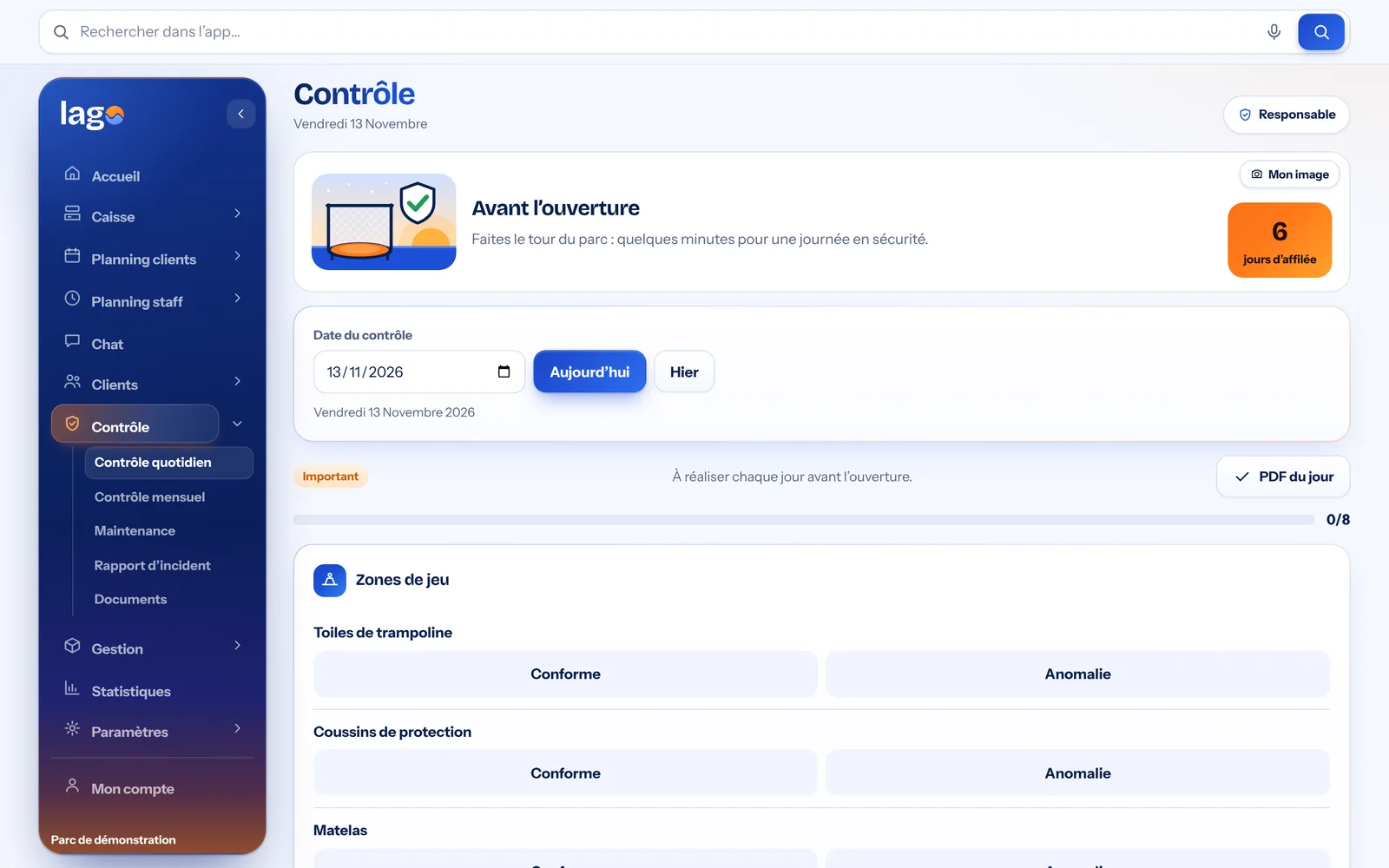
Jumping mats, pads, nets, landing zones: the team completes the visual check on a tablet or phone. Each completed check becomes a time-stamped PDF, filed in the log.
- Daily and monthly checks, and maintenance
- Issue reported in one tap
- Check log exportable as a PDF
Real Lago screenshot · demo data
The little extras that make the difference
Birthday parties and groups
Events with room, times and number of guests, and quotes to send to families.
Passes and gift cards
10-session passes, gift cards and promo codes redeemable at the till.
QR code entry
The jumper shows their QR code and the entry is recorded in a second.
Loyalty
€1 spent = 1 point, with reward tiers.
Staff schedule
Hours, leave and team chat, available on mobile.
Signed waivers
Signed on a tablet at reception, valid for a year, log as a PDF.
Three steps to get started
A demo with your activities
We show you Lago with your prices, your opening hours and your way of working.
A tailored proposal
You receive an offer based on the size of your business and the modules you need.
A quick start
You enter your items and opening hours, then invite the team with a simple link.
Trampoline parks: your questions
Can I limit the number of jumpers per session?
+
Yes. You enter your park’s capacity: each 15-minute slot shows the number present and changes colour as it fills up. Items marked “counts as jumper” are included in the capacity.
Are coloured wristbands supported?
+
Yes. Lago assigns a wristband colour based on the start time and length of the session, and shows it at the till when the sale is made.
How do I handle birthday parties?
+
Create an event with its room, times and number of guests: it appears in the customer schedule, and you can prepare a quote for the family.
Does the daily check replace the paper log?
+
The visual check is done on a tablet or phone before opening, and each completed check produces a time-stamped PDF filed in the log. Check with your insurer or inspection body which format they expect.
Our guides to go further
Let’s see Lago in your trampoline park.
A free, no-commitment demo based on your own activities.