
An organised team, with a schedule in everyone’s pocket
Build the schedule from a standard week, spot understaffed time slots, approve leave and talk to the whole team in one place.
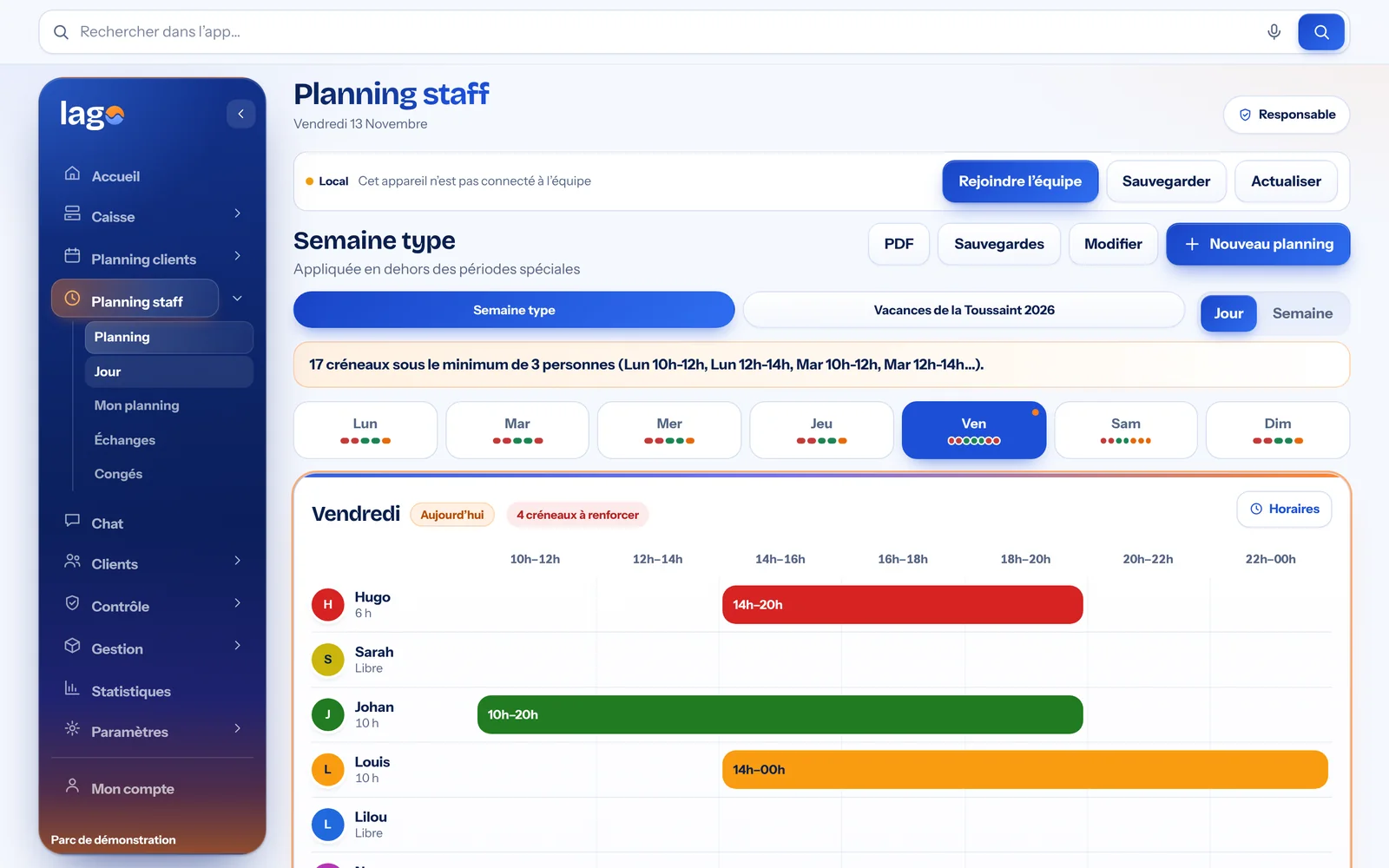
Real Lago screenshot · demo data
Staff scheduling without spreadsheets
Standard week, holiday periods, everyone’s hours: the schedule reads one day at a time, one line per person, and Lago flags the time slots below the minimum staffing you set.
- Standard week and special periods
- Understaffing alert
- PDF export and backups
Real Lago screenshot · demo data
Everyone has their schedule, on their phone
Employees install Lago on their phone: they see their hours, request leave, offer shift swaps and follow the team’s messages.
- Personal schedule
- Leave requests and swaps
- One team chat
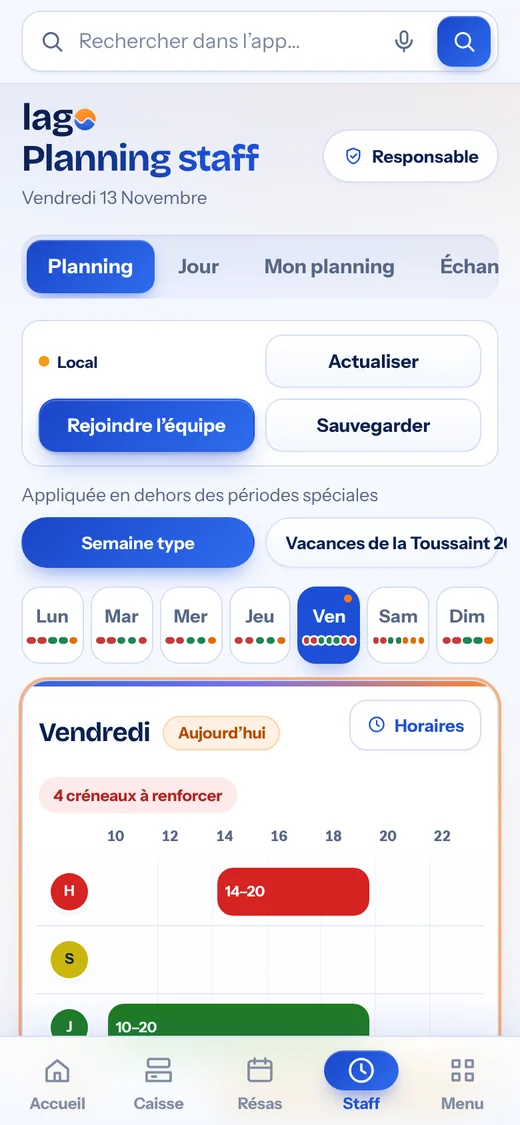
Real screenshot · demo data
The details that save time
Approved accounts
The administrator approves each account and sets permissions.
Adjustable visibility
You decide what each profile can see.
Team messages
A message shown on the home screen for the whole team.
Synced
Changes appear on every device.
Your POS and your team, finally in one place.
A sale fills the schedule, a booking made at the counter or on your website shows up everywhere, and every employee finds their hours on their phone. No more software that doesn’t talk to each other.
For the counter
- Touchscreen POS, French-compliant
- Time slot booking at the till
- Online booking on your website
- Online payment, in full or deposit
- Loyalty, promo codes, gift cards
- Sales statistics

For the team
- Staff schedule
- Leave and shift swaps
- Team chat
- Safety checks as PDFs
- Personal schedule on their phone
- Accounts and permissions approved by you
The real softwareThe screens shown are real Lago screenshots.
Compliant POS (France)Sealed closures, archives and the publisher’s certificate.
Your data stays yoursNever sold or used for advertising.
Always up to dateAutomatic updates, nothing to install.
Your questions
Do employees need to install an app?
+
Lago opens in the browser and can be installed like an app on the phone. Employees join the team with a link sent by their manager.
Who can edit the schedule?
+
The administrator sets each profile’s permissions: by default, employees view the schedule and make requests, and the manager approves.
Is leave tracked?
+
Yes. Leave requests are made in Lago, approved by the manager and visible in the schedule.